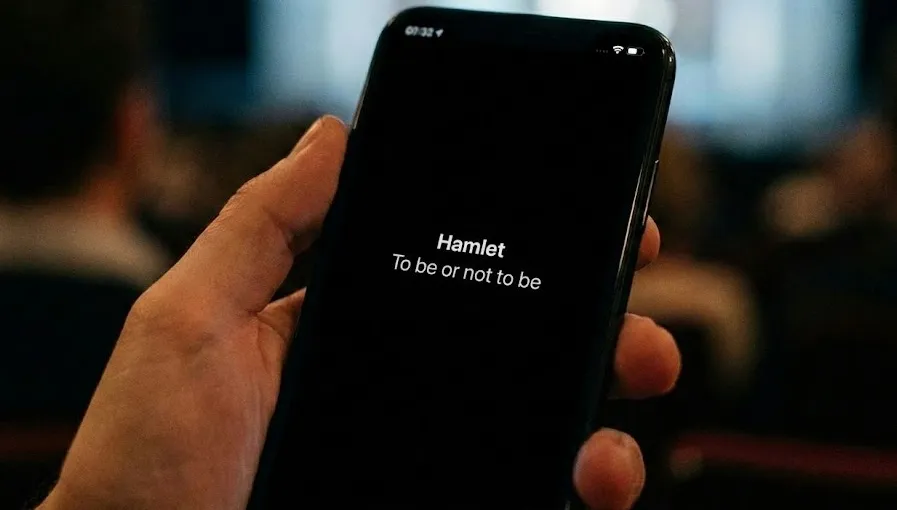
Projected or Mobile Surtitles? Choosing an Audience Delivery Path
The question is often framed as a contest: should a production use a surtitle screen, or send text to the audience’s phones?
That framing is too simple. A shared display, a personal device, and a hybrid of the two create different audience experiences. None is automatically more accessible. The responsible choice depends on who needs the text, where they can read it, what the venue can support, and what happens when the preferred delivery path is unavailable.
For touring productions, heritage buildings, festivals, and site-specific work, mobile delivery can solve genuine problems. It can also introduce new ones. Good surtitling begins by acknowledging both.
Three Delivery Models, Not One Universal Answer
Shared projection or a fixed display
Text appears on a screen that the audience reads together. This may be an LED display, a projector, or another venue-integrated surface.
It can work well when:
- most seats have a clear and comfortable sightline;
- one or two language tracks meet the audience’s needs;
- the production wants a shared visual rhythm;
- asking patrons to use a phone would conflict with the work or venue policy.
It needs closer examination when:
- balconies, pillars, unusual seating, or standing areas interrupt sightlines;
- the display competes with scenic design or requires repeated refocusing;
- several languages must appear at once;
- rigging, conservation, or installation rules limit where equipment can go.
A shared display is valuable partly because it does not require each patron to own, charge, configure, or hold a device. That is an important form of access, not an outdated constraint.
BYOD mobile surtitles
BYOD—“bring your own device”—allows patrons to open a browser-based viewer on a phone or tablet, often through a QR code or short link, and choose an available language.
It can work well when:
- the production tours through venues with very different layouts;
- a central screen cannot serve every seat;
- the audience needs more language choices than one display can present clearly;
- the performance takes place across a gallery, heritage site, or other non-traditional space.
It needs closer examination when:
- some patrons do not have a suitable device, mobile data, battery charge, or confidence using the interface;
- Wi-Fi or cellular coverage is uneven;
- phones may distract nearby audience members or conflict with performer expectations;
- the audience journey does not include clear instructions and human assistance.
Mobile delivery changes where the text appears; it does not remove the production’s duty of care.
Hybrid delivery
A hybrid design provides a shared display and an optional mobile path. It may give the main audience a common text surface while offering additional languages or alternative sightlines on personal devices.
This can be the most inclusive arrangement for some productions, but it is not free of complexity. Both paths must be prepared, operated, tested, explained, and supported. A nominal backup that no one has rehearsed is not a reliable fallback.
Start With People, Not Hardware
Before choosing a system, define the audience service in practical terms:
- Purpose: Is the text a translation, same-language captions, or both?
- Audience: Who needs it, and what barriers could each delivery path create?
- Location: From which seats or standing areas must the text remain readable?
- Choice: How many languages or text versions are genuinely required?
- Support: Who helps a patron who cannot connect, scan, select, or read comfortably?
- Fallback: What usable experience remains if a screen, device, or network path fails?
This distinction matters. Translation surtitles can help an audience follow dialogue in another language. Accessibility captions may also need speaker identification, meaningful sound information, and editorial choices shaped by Deaf and hard-of-hearing audiences. Offering several translated tracks is not, by itself, a complete accessibility strategy.
What Changes in a Touring or Flexible Venue?
Logistics become lighter—but preparation does not disappear
A browser-based audience path can reduce freight, rigging, and venue-specific display work. The operator may carry far less equipment than a touring LED installation requires.
The saved hardware effort reappears elsewhere: checking connectivity, preparing audience instructions, confirming the phone policy, briefing front-of-house staff, testing representative devices, and deciding what to offer patrons who cannot or do not wish to use their own.
“No screen to install” should never be mistaken for “no setup required.”
Sightlines become personal—but devices introduce variation
Personal screens can serve seats that cannot see a central display. They can also let a patron position text within a comfortable field of view.
Yet phones differ in screen size, brightness, browser settings, battery condition, and accessibility preferences. Some patrons may find holding a device tiring. Others may need larger type than a small screen can provide. Test with real audience positions and representative devices, not only from the production desk.
Language choice expands—but editorial work still scales
A mobile viewer can present language choices without stacking every translation on one shared screen. This reduces visual competition and can make multilingual programming more practical.
Every additional track still requires preparation, review, cueing, and ownership. A menu of languages is useful only when the text behind each choice is accurate, readable, and ready for live operation.
Designing Phone Use for a Dark Auditorium
Phone-based surtitles need an explicit social and visual design. Patrons should know before arrival that devices are part of the performance experience, where to hold them, and how to reduce disruption.
Dark presentation, restrained brightness, concise text, and considerate seating can reduce light spill. They cannot make illuminated screens invisible. Venue staff should agree on a phone policy that distinguishes approved caption use from unrelated device use, then communicate it to performers and audiences alike.
Avoid suggesting that patrons will naturally shield their screens or that one display setting solves the problem. The production should test the actual room and make a deliberate choice.
A Practical Decision Checklist
Choose a shared display when a common focal point, device-free access, and consistent presentation matter most—and when sightlines and language capacity are sufficient.
Consider mobile surtitles when venue geometry, touring logistics, or individual language choice makes a single display inadequate—and when the production can support connectivity, devices, communication, and assistance.
Consider a hybrid when neither path alone serves the whole audience well—and when the team has the time and people to rehearse both.
Before opening the doors, verify:
- the text purpose and audience have been defined;
- representative seats and devices have been tested;
- patrons receive instructions before and at the venue;
- front-of-house and technical teams know who owns support;
- screen brightness and phone etiquette have been rehearsed;
- a realistic alternative exists for patrons without a suitable device;
- failure of one path does not become a surprise during the performance.
Where SurtitleLive Fits
SurtitleLive can deliver prepared language tracks to an audience browser through a QR code or link, and it can support projected output as part of a production setup. The platform gives teams more than one delivery option; it does not decide which option is equitable for a particular audience or venue.
That decision belongs to the people making the work. Technology should expand their choices while leaving responsibility visible.
The Better Question
The useful question is not whether mobile surtitles will replace the surtitle screen. It is:
Which combination lets this audience read comfortably, understand what is being offered, and remain included when conditions are less than ideal?
Sometimes the answer is a shared projection. Sometimes it is a personal viewer. Often it is a carefully supported combination. The strongest design is the one that treats access as an audience relationship—not as a feature attached to a delivery device.
Key Takeaways
- Shared projection, personal devices, and hybrid delivery create different audience experiences; none is automatically the most accessible choice.
- Mobile surtitles can help with touring, difficult sightlines, and individual language choice, but require device, connectivity, communication, support, and fallback planning.
- A shared display provides a valuable no-personal-device path, while hybrid delivery can broaden access only when both paths are properly rehearsed.
- Multilingual translation and accessibility captions may overlap, but they are not interchangeable audience services.
FAQ
Are mobile surtitles more accessible than projected surtitles?
Not automatically. Mobile surtitles can improve language choice and serve seats without a clear view of a shared screen, but they may exclude patrons without a suitable device, battery, connection, or confidence using the interface. The right choice depends on the audience and venue.
When are BYOD mobile surtitles useful?
They can be useful for touring productions, heritage or site-specific venues, variable sightlines, and events that need several language choices. Productions still need to test connectivity and devices, explain phone use, provide staff support, and plan a realistic alternative.
What is hybrid surtitle delivery?
Hybrid delivery combines a shared projected or fixed display with an optional audience browser. It can preserve a common, device-free reading path while adding languages or alternative sightlines, provided both paths are prepared and rehearsed.
Do translated surtitles provide a complete accessibility service?
No. Translation surtitles help audiences understand dialogue in another language. Accessibility captions may also require speaker identification, meaningful sound information, and editorial decisions shaped by Deaf and hard-of-hearing audiences.
Glossary
- Shared display: A projected, LED, or venue-integrated text surface read collectively by the audience.
- BYOD mobile surtitles: Prepared performance text opened by patrons on their own browser-enabled phone or tablet, usually through a QR code or link.
- Hybrid delivery: A production design that offers both a shared display and a personal-device viewing path.
- Fallback: A tested alternative that preserves a usable audience experience when the preferred display, device, or network path is unavailable.
- Accessibility captions: Same-language text that may identify speakers and meaningful sounds as well as represent spoken dialogue for Deaf and hard-of-hearing audiences.