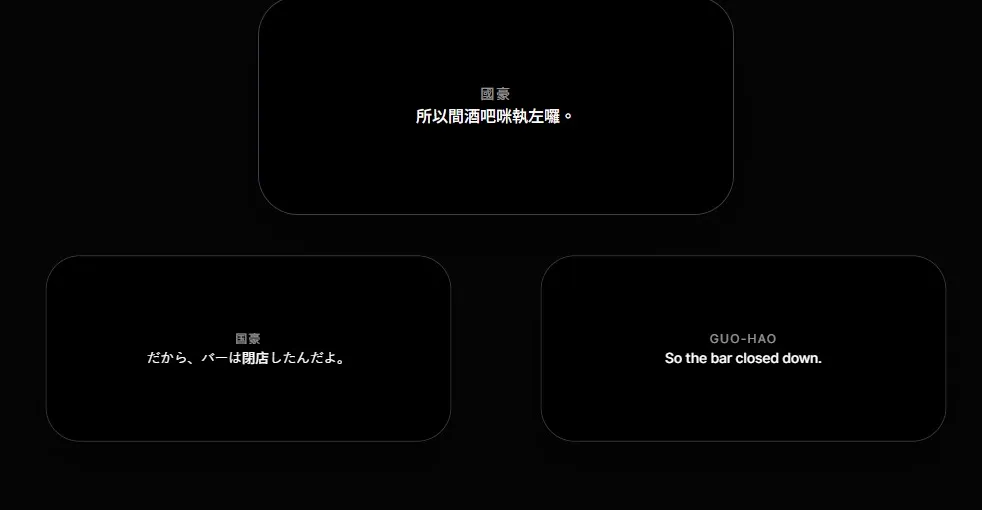
PowerPoint Surtitles in Live Theatre: When Static Slides Stop Being Enough
If you have ever operated surtitles from a theatre control position, you know the concentration the job demands.
The house lights go down. The performance begins. Your finger rests over the space bar as you follow the stage, cue by cue.
Then the performance moves somewhere the cue sequence did not expect. An actor skips ahead, repeats a passage, or returns after a missed entrance. The stage manager calls the new position over the headset.
The question is no longer how quickly you can press “next.” It is how safely the system lets you recover.
With a linear slide deck, finding the right cue may mean leaving presentation mode, searching through similar thumbnails, or advancing past material the audience should never see. A skilled operator can prepare around many of these risks, but preparation cannot make a presentation tool behave like live show control.
That distinction matters. PowerPoint and Keynote can be entirely reasonable for a short, fixed sequence with one display and a rehearsed operator. The problem begins when the production needs blackout control, direct cue selection, rapid recovery, multiple language tracks, or more than one audience delivery path.
Our position is simple: choose the least complicated tool that can protect the performance and give the intended audience a dependable way to read. When a slide deck meets that standard, use it. When it does not, the workflow—not the operator—needs to change.
Where a Slide Deck Reaches Its Limit
Three questions reveal whether static slides are still an appropriate fit.
1. Can the team revise the text without rebuilding the display?
Slide preparation often means copying text from a script, dividing it into individual slides, and formatting each cue. That can be manageable for a stable production. During an active rehearsal process, however, a line change can require edits in the source script, the slide deck, and every translated version. The risk is not only extra work; it is losing track of which version is current.
2. Can the operator recover without exposing the search?
Theatre is not always linear. A useful live workflow should let the operator locate the correct cue while the audience display remains deliberately blank or unchanged. Recovery controls matter because an operator should not have to choose between following the stage and protecting the audience experience.
3. Does every intended audience member have a workable reading path?
One projected language can serve a whole room with no phone required. Personal devices can offer language choice and individual viewing, but they also introduce device, battery, network, and digital-literacy considerations. A bilingual shared screen may work in one venue and become unreadable in another.
Translation and accessibility also need separate planning. Translated surtitles help audiences cross a language barrier. Same-language captions may additionally need speaker identification and meaningful sound information. Neither label guarantees that the service is accessible to every person.
The better question is not “projection or phones?” It is whether a shared display, personal-device delivery, or a planned combination gives the actual audience a dependable route to the text.
A Purpose-Built Live Workflow
SurtitleLive treats the prepared script as structured cue data rather than a stack of images. That makes editing, language management, operation, and audience delivery parts of one workflow while keeping human review in control.
1. From Script Import to an Editable Draft
SurtitleLive can analyze an uploaded script to help identify dialogue and speakers and create an editable draft. This is preparation assistance, not an editorial decision: the production team remains responsible for checking extraction, line breaks, names, translations, and performance timing.
The value of automation is not that it replaces theatre knowledge. It is that it can reduce repetitive setup and leave more attention for the choices that require it.
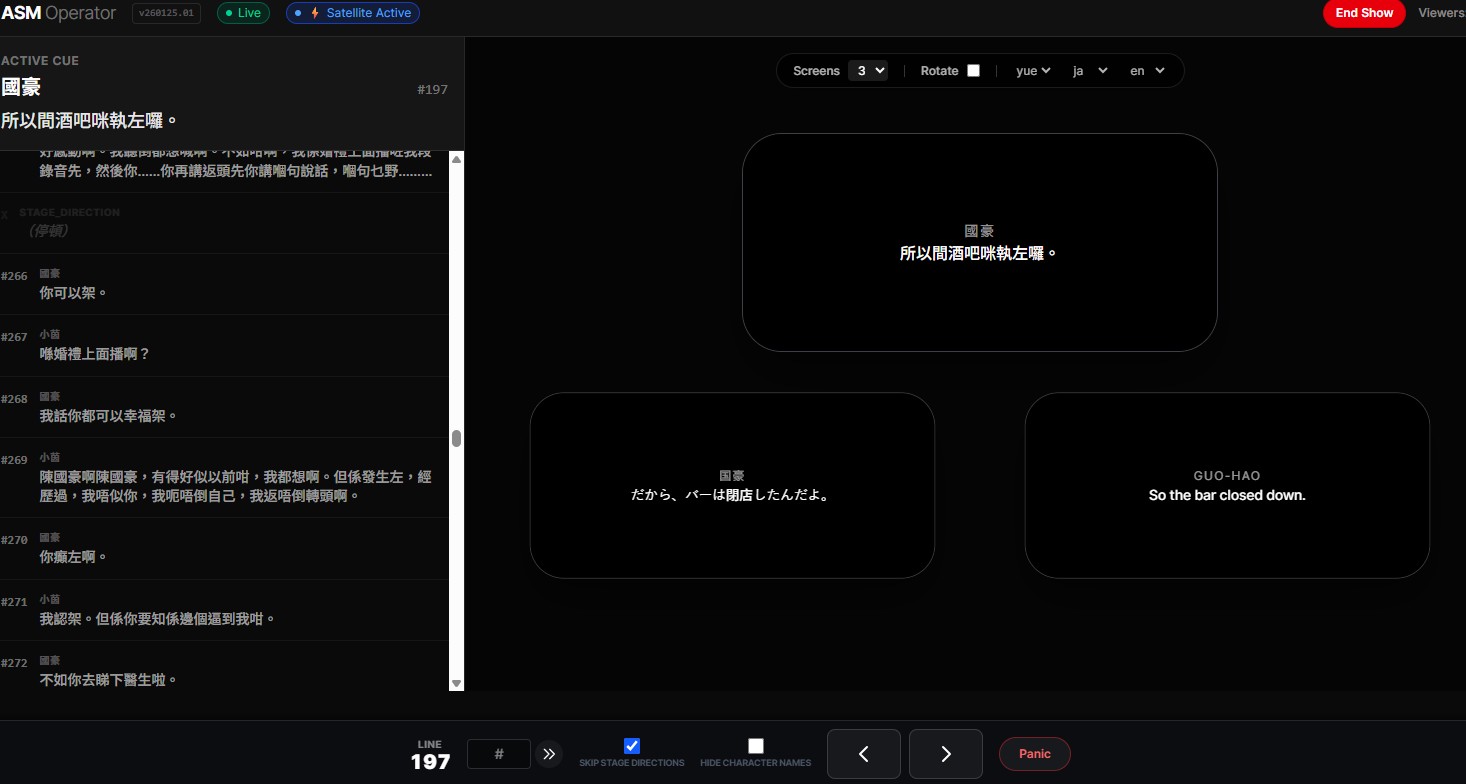
2. Reliable Non-Linear Navigation
The SurtitleLive Cockpit is organized around live cue control rather than presentation order.
- Select the required cue directly: Move to the new position without showing every skipped cue to the audience.
- Separate control from display: Search and recover in the operator interface while controlling what the audience sees.
- Rehearse the exception, not only the ideal run: Test skips, repeats, blackouts, reconnects, and the production’s agreed fallback before opening the house.
3. Shared and Personal Audience Outputs
Prepared title tracks can be delivered to a projected display and to audience phones, depending on the production setup.
- Reviewed language tracks: Prepare translations in advance, with AI assistance where useful and human approval before performance.
- Audience choice: A QR code can give phone users access to the language tracks the production has made available.
- A deliberate fallback: Mobile delivery should not be presented as universal access. Tell audiences what device or network they need and provide a reasonable alternative where the production requires one.
Judge the Workflow by the Audience Experience
Surtitles are not successful merely because text appeared on a screen. They succeed when the text is accurate, readable, timely, recoverable, and available through a delivery path the intended audience can actually use.
That standard also respects the operator. A production should pay for preparation and representative rehearsal time, assign clear responsibility, and avoid making one person silently absorb every weakness in the workflow during the show.
If static slides meet those needs, they remain a valid choice. If the production needs direct recovery, coordinated language tracks, and shared or personal audience outputs, compare SurtitleLive’s current access options or start with the free workspace.
Key Takeaways
- PowerPoint or Keynote can remain a sensible choice for a short, fixed surtitle sequence with one display and a rehearsed operator.
- A purpose-built live workflow becomes more valuable when the production needs direct cue selection, blackout control, fast recovery, or multiple audience delivery paths.
- Translated surtitles and same-language captions answer different audience needs; neither projection nor phone delivery is automatically accessible to everyone.
- SurtitleLive can assist with script preparation and structured cue operation, but the production team remains responsible for text, timing, translation approval, rehearsal, and fallback planning.
Frequently Asked Questions
When is PowerPoint suitable for theatre surtitles?
A slide deck can work well for a short, stable cue list on one display when the operator has enough preparation and rehearsal time. The production should still test skips, repeats, blackouts, and its agreed fallback.
When should a production consider purpose-built surtitling software?
Consider it when the show needs direct cue selection, recovery without exposing the search to the audience, coordinated language tracks, or both projected and personal-device outputs.
Does delivering captions to phones make a performance accessible?
Not by itself. Phone delivery can offer language choice and individual viewing, but it also depends on devices, battery, network access, and digital confidence. Productions should explain those requirements and plan a reasonable alternative where needed.
What role does AI play in SurtitleLive script preparation?
AI can help identify dialogue and speakers and create an editable draft. It does not make the production's editorial decisions: people still review extraction, line breaks, names, translations, and performance timing.
Glossary of Terms
- Cue: A prepared unit of text that an operator selects for display at the appropriate moment in a performance.
- Blackout Control: A deliberate control that hides the audience text while the operator searches, recovers, or follows an agreed show action.
- Translated Surtitles: Prepared text that helps an audience understand dialogue performed in another language.
- Same-Language Captions: Text in the performance language that may also identify speakers and convey meaningful sound information.
- Audience Delivery Path: The practical route through which an audience reads the text, such as a shared projection, a personal device, or a planned combination.