
0账号与设置
0.1 创建账户
完成注册、验证邮箱,并填写所需的个人资料信息。
⚡ 快速指南
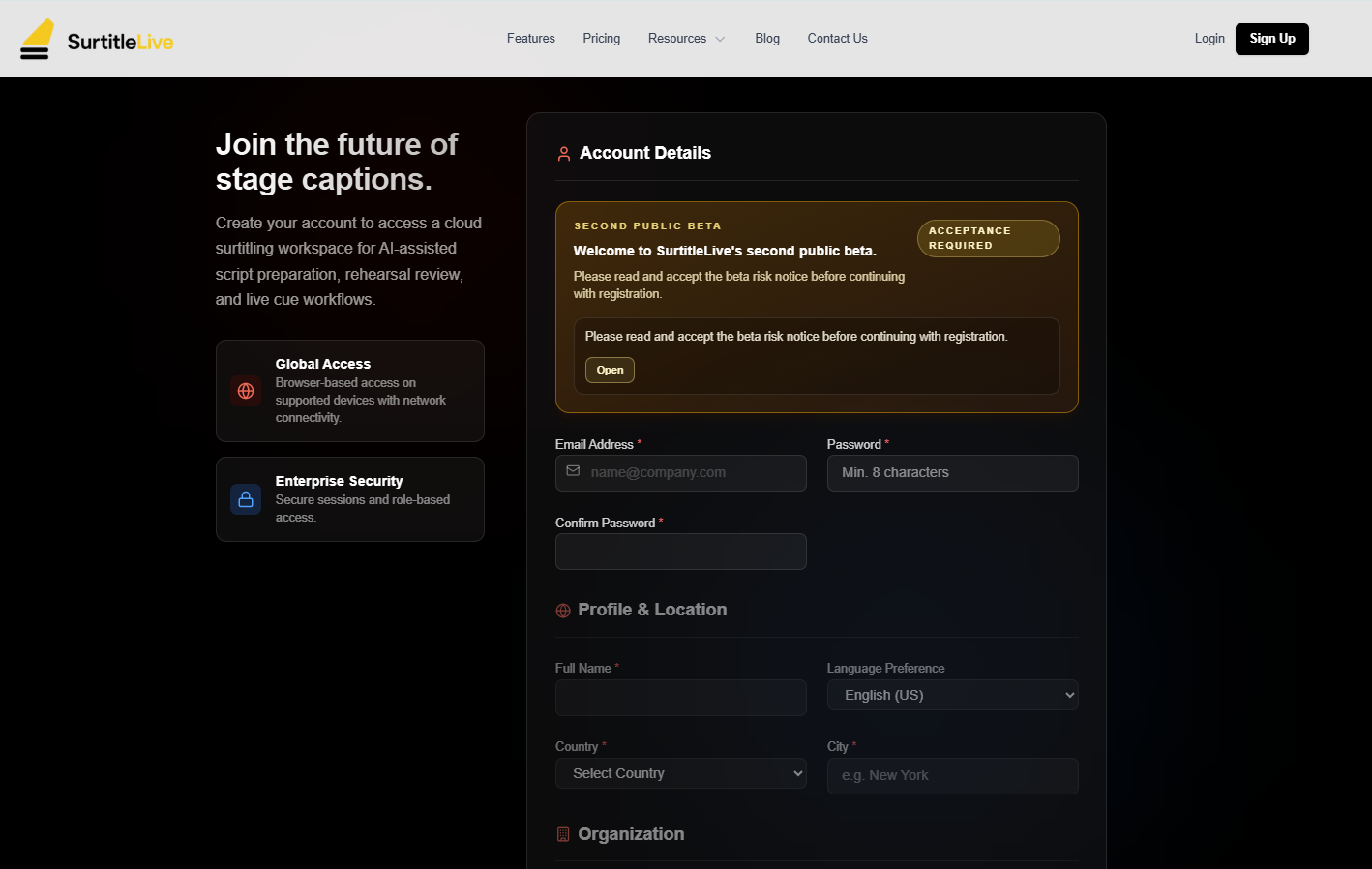
入口:/auth/register,或网站上的 注册 按钮
开始前:查看注册表单,并在提交前同意服务条款和隐私政策
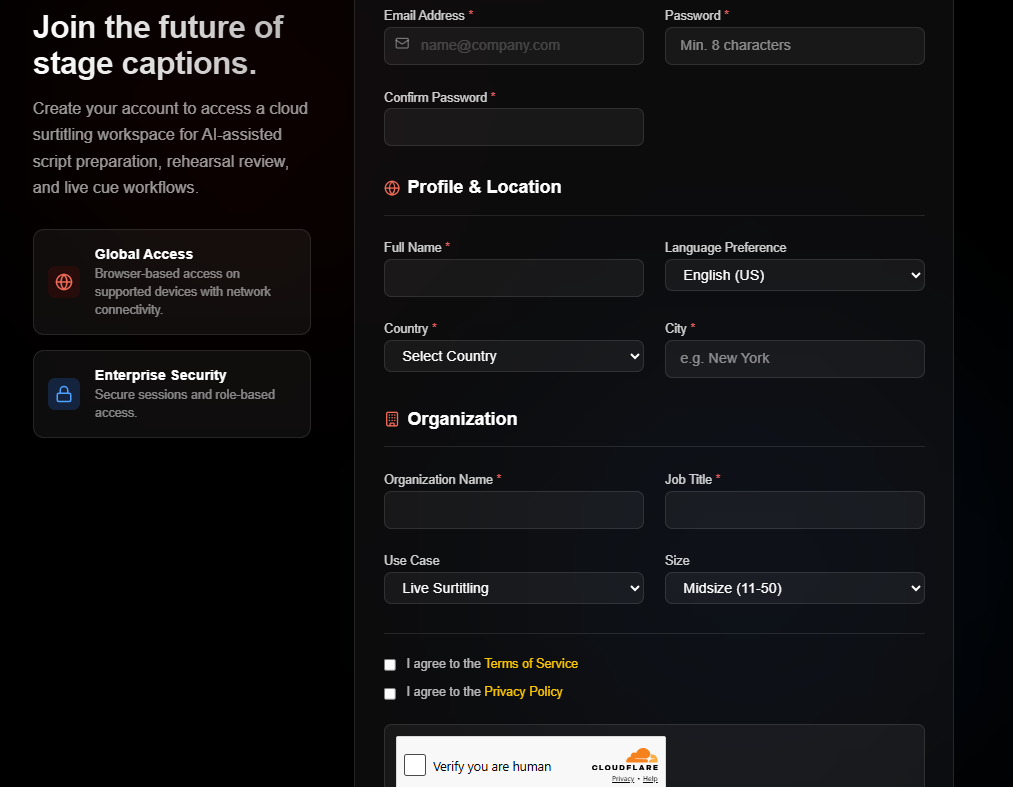
主要字段:电子邮箱、密码、确认密码、姓名、国家、城市、组织名称、职位
提交后:打开验证邮件,并在 验证邮箱 页面完成邮箱验证
打开注册页面
前往 /auth/register。你也可以从公开的 注册 按钮开始。
填写表单
- 填写
电子邮箱、密码和确认密码。 - 填写
姓名、国家和城市。 - 填写
组织名称和职位。 - 检查可选选择项,例如
语言偏好、使用场景和组织规模。 - 勾选
服务条款和隐私政策复选框。
密码提示:注册页面会在密码字段下方显示强度检查清单。提交前,请确保符合屏幕上列出的要求。
提交注册并验证邮箱
点击 创建账户。如页面显示 Turnstile 验证,请先完成验证。
- 打开发送到注册地址的验证邮件。
- 点击链接前往操作页面。
- 点击
验证邮箱。 - 使用
返回登录,或继续返回应用。
常见问题
基于当前 SurtitleLive 系统整理的此工作流程常见问题。
Do I need a registration code?+
No. The registration form is open. Create your account with your email address, organization details, and the standard Terms and Privacy acknowledgements.
What should I do if the verification email does not arrive?+
Check your spam folder first, then confirm you entered the correct email address. If it still does not arrive, contact support.