
4上线演出
4.1 如何为演出部署现场字幕
通过完成剧本、确认不同方案的地区设置、设置操作员访问权限,并分享观众链接来部署现场字幕。
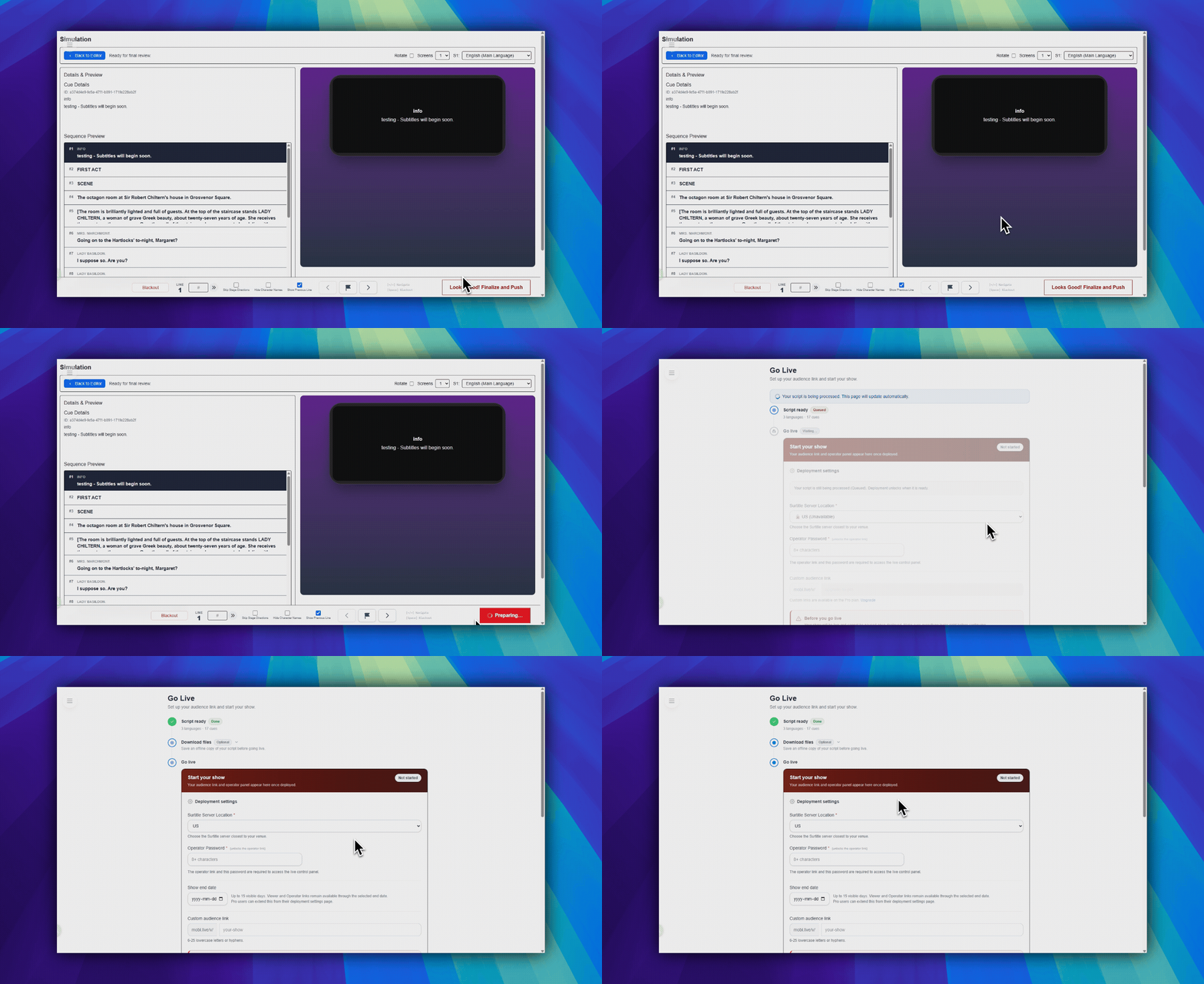
请先完成 模拟。部署在 Looks Good! Finalize and Push 之后开始。
打开上线页面
在模拟界面右下角使用 Looks Good! Finalize and Push。
- 在 模拟 中检查剧本。
- 点击
Looks Good! Finalize and Push。 - SurtitleLive 打开
上线表单。
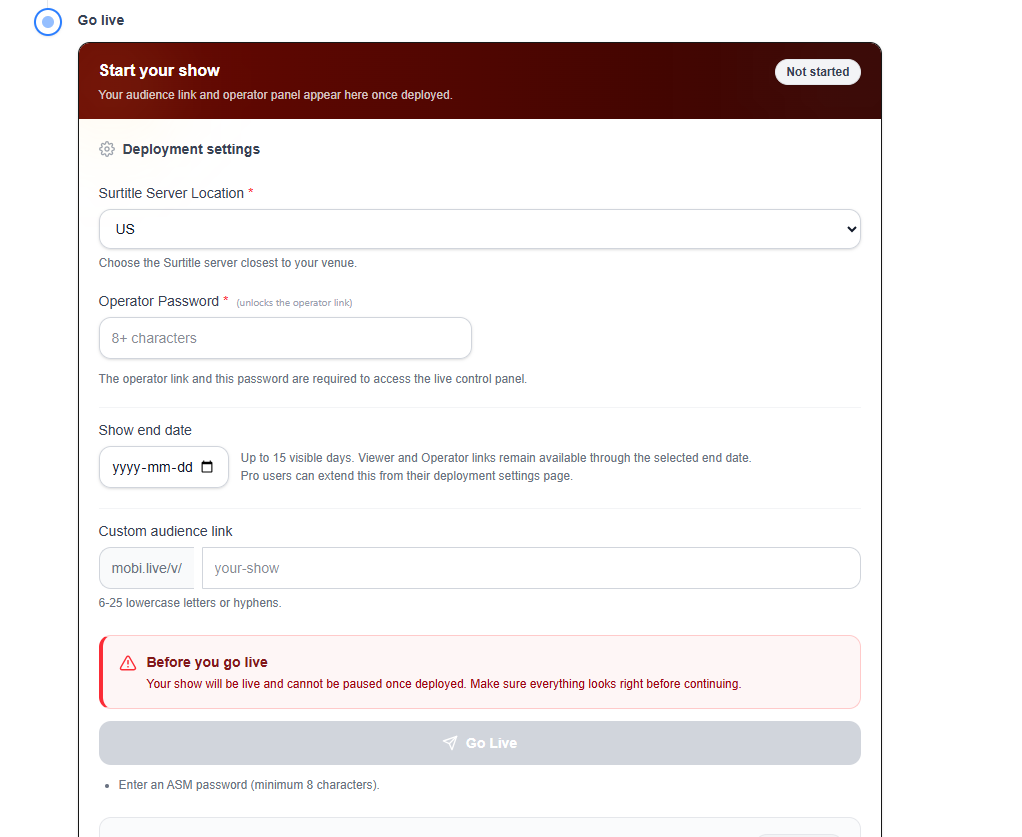
填写 Go Live 表单
- 字幕服务器位置:Lite 使用系统选定的 US Central。Pro 和 Pro+ 可从允许的地区中选择。
- 操作员密码:必填。解锁 ASM 操作员链接。
- 演出结束日期:当方案支持自定义结束日期时显示。Lite 保持默认 7 天可见窗口。
- 自定义观众链接:方案允许时可选。
开始部署
表单准备好后,点击表单底部的 上线。这是带有纸飞机图标的主要蓝色提交按钮。
- 等待部署请求完成。
- 确认部署成功后,再打开下一页。
观众到场前检查:提前足够早地部署,以测试观众链接、ASM 链接、QR 流程和投影设置。
成功后打开部署控制台
部署后,前往 部署控制台。
- 检查
Viewer(观众)和ASM 控制台(操作员)。 - 从
观众与操作员链接复制或打开链接。 - 使用
演出链接 ID确认已部署的短链接集。
部署后的任务,请继续阅读 管理实时部署。
部署限制
- Free:无实时部署。
- Lite:1 个正在运行的部署,固定显示期限。
- Pro 和 Pro+:更多部署容量和选项,如界面中所示。
常见问题
基于当前 SurtitleLive 系统整理的此工作流程常见问题。
How do I deploy live subtitles in SurtitleLive?+
Check the script in Simulation first, finalize it, open the Go Live flow, confirm the plan-specific region and duration, set the operator password, then deploy and share the Viewer Link or QR code.
Why is Deploy unavailable for me?+
Live deployment requires a paid live-delivery plan, and the script must be ready in the workflow before deployment actions unlock.