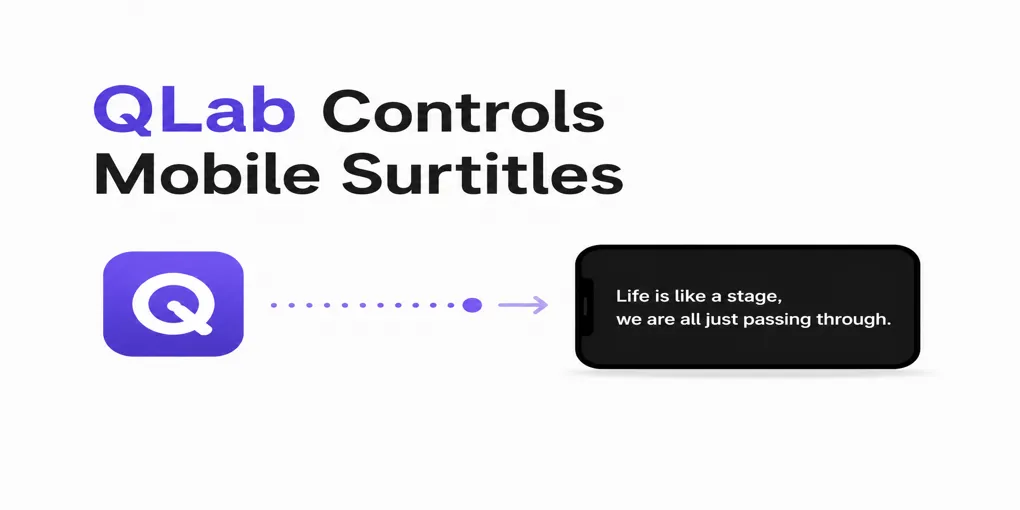
Already Using QLab for Surtitles? Send the Same Cues to Audience Phones
Your QLab workspace may already run the entire performance.
One operator presses GO for sound, lighting, video, scene transitions and projected surtitles. There may be no separate caption operator, no spare control position and no practical way to run another subtitle interface during the show.
But one projected screen may not serve every audience member equally.
Some seats may have a poor sightline. Some audience members may need another language. Others may simply prefer to read the performance on their own phone.
SurtitleLive lets a QLab-based production add that option without replacing QLab or creating a second live cue sequence.
A prepared subtitle cue can remain inside the QLab show file. When the operator presses GO, QLab runs the local projection cue, while SurtitleLive can send the matching subtitle moment to connected audience phones.
One operator. One rehearsed GO workflow. Two ways for the audience to read the performance.
Keep the whole show in QLab
For many small theatres, touring companies and festival productions, QLab is not just a subtitle tool. It is the centre of the technical show.
The same workspace may contain:
- Sound cues
- Lighting triggers
- Video playback
- Scene-change waits
- Safety holds
- Projected surtitles
- Operator notes and reminders
The person running that workspace may already be watching the stage, listening for timing changes and managing several technical departments at once.
Asking that operator to open another subtitle controller and manually match a second cue list is rarely a good solution.
SurtitleLive is designed to extend the QLab workflow the team already knows.
The sound, lighting, video and projected surtitles remain in QLab. The operator continues to use the same cue list and the same GO button. SurtitleLive adds a separate audience-delivery option behind the prepared subtitle cue.
The production does not need to rebuild the show around a new control system.
One subtitle cue, two audience experiences
A projected surtitle is shared by the whole room. It can be clear, bright and easy to follow when the screen position and sightlines are good.
Audience-phone subtitles offer something different.
They can give individual audience members:
- A personal reading screen
- A choice of prepared languages
- An alternative when the main screen is difficult to see
- Access through a familiar mobile browser
- Control over supported display settings
- A way to follow a touring or multilingual performance without installing an app
The two options can complement each other.
A production may continue projecting English surtitles above the stage while offering French, German or Traditional Chinese on audience phones. Another production may offer the same English text on phones for people seated outside the best projection sightline.
The important point is that the operator should not have to cue each language or output separately.
One subtitle moment remains one show cue.
How the same QLab GO can serve the projector and audience phones
The audience-facing idea is simple:
QLab GO
├── Projected surtitles
└── Connected audience phones
The operator presses the same GO button used during rehearsal.
QLab displays the prepared local subtitle on the projector. At the same time, SurtitleLive receives the identity of that subtitle moment and sends the matching prepared text to connected audience phones.
The audience opens the subtitles in a mobile browser, normally through a QR Code. No dedicated viewing app is required.
The operator does not need to advance a separate phone-subtitle sequence.
A practical one-operator example
Imagine a touring theatre company arriving at a festival venue with:
- One Mac
- One QLab workspace
- One projector
- One technical operator
- A multilingual audience
The operator already uses QLab for sound, video, transitions and English surtitles.
Several international programmers would prefer to read French. Some audience members want English on their phones because the projected screen is outside their comfortable sightline.
Without an integrated workflow, the company might need:
- A second operator
- A separate subtitle laptop
- Another cue list
- Additional rehearsal time
- Constant coordination between two people
With a prepared QLab and SurtitleLive workflow, the operator can remain in QLab.
When the next subtitle cue runs:
- English appears on the venue screen.
- French and English can be available on connected audience phones.
- Sound, video and other QLab cues continue in the same show file.
- The operator still follows one rehearsed sequence.
This does not remove the need for preparation. It removes unnecessary duplication during the performance.
Designed for small crews and touring productions
This workflow is particularly useful when:
- QLab is already the only practical show-control environment.
- One person operates several technical departments.
- The production cannot add a dedicated subtitle operator.
- The show has a prepared or mostly prepared script.
- Projected surtitles are already part of the production.
- The team wants to offer additional languages on audience phones.
- The production moves between venues with different screens and sightlines.
- The crew wants to retain a familiar manual fallback.
It can suit independent theatre, opera, multilingual festivals, international showcases, school productions and touring companies.
It is not limited to large venues or permanently installed captioning systems.
What the production needs to prepare
The live operation can remain simple because the preparation happens before the audience enters.
1. Prepare and review the text
Upload the script, divide it into readable subtitle cues and review every language.
AI-assisted preparation can help create a first draft, but the production team should still check:
- Translation accuracy
- Character names
- Line breaks
- Reading length
- Sound information where relevant
- The position of each cue in the performance
2. Prepare the QLab show file
Add the reviewed subtitle sequence to the QLab workspace and check that the local Text cues appear on the correct projector or display.
The operator-facing cue names should remain easy to recognise during rehearsal.
3. Prepare the audience-phone Viewer
Create the audience link and QR Code. Confirm which languages are available and decide where the QR Code will be displayed.
Possible locations include:
- The box office
- The venue entrance
- Access information cards
- The digital programme
- Pre-show emails
- Reserved-seat information
4. Rehearse the complete path
Test the real Mac, QLab workspace, projector, browser, venue network and several phones.
Confirm that one representative GO produces both expected results:
- The correct text appears on the projector.
- The matching subtitle appears on the connected phones.
5. Keep a manual fallback
Technology should reduce pressure, not remove production responsibility.
Keep manual SurtitleLive controls available in case the phone-sync path needs to be disconnected. The local QLab projection should remain understandable and operable on its own.
What happens if the venue internet fails?
The projected QLab subtitles and the audience-phone subtitles use separate delivery paths.
If the prepared QLab show file and local projection equipment continue working, the projected surtitles may continue locally.
Audience-phone delivery still requires connectivity. It should not be advertised as an offline mobile service.
This separation helps protect the main local output. A problem with mobile delivery should not automatically stop the QLab projection.
The production should rehearse this situation and decide how front-of-house staff will communicate any change to the audience.
Where another workflow may be more suitable
This approach is designed for prepared, operator-cued text.
A different service may be more appropriate when the performance:
- Is substantially improvised
- Includes extended unscripted audience interaction
- Requires verbatim live transcription
- Has no operator available
- Needs fully offline mobile subtitles
- Requires professional live captioning or CART
- Cannot be technically rehearsed before opening
Written subtitles are also only one part of accessibility planning. Audio description, hearing systems, sign-language interpretation, relaxed performances and venue access require separate consideration.
Frequently asked questions
Do we need a second operator for audience-phone subtitles?
Not necessarily. The workflow is designed for productions where the existing QLab operator may also be running sound, lighting, video and projected surtitles. Once the show has been prepared and rehearsed, the same QLab subtitle cue can also request the matching mobile subtitle.
A manual SurtitleLive control option should remain available as a fallback.
Do audience members need to install an app?
No dedicated Viewer app is required. Audience members normally scan a QR Code and open the subtitles in their mobile browser.
The production should still provide clear instructions and test the experience on different phones.
Can one cue provide several languages?
Yes. One subtitle moment can be linked to several prepared audience languages.
The operator still triggers one show cue. Audience members choose from the languages made available for that performance.
Does this replace QLab?
No. QLab remains the local show-control and projection environment.
SurtitleLive adds script preparation, multilingual audience delivery and browser-based phone viewing around the existing QLab workflow.
Can the projected subtitles continue without internet?
Prepared local QLab projection may continue when the QLab show file, Mac and projection equipment remain operational.
Audience-phone delivery still requires connectivity.
Is this suitable for improvised performances?
It is best suited to scripted or mostly scripted performances with prepared text. A speech-to-text or professional live-captioning service may be more suitable for highly improvised work.
Keep QLab. Reach more of the audience.
For a small crew, the strongest feature is not another control screen.
It is the ability to keep operating the show from QLab.
Sound, lighting, video, waits and projected surtitles can remain inside the show file the operator has already rehearsed. SurtitleLive adds a controlled path from the same prepared subtitle moment to connected audience phones.
No second live cue list.
No dedicated audience app.
No need to move the rest of the production out of QLab.
One operator. One GO workflow. Projection and audience phones working from the same prepared subtitle sequence.
Explore the SurtitleLive QLab workflow, prepare a free test project and rehearse it with your real production equipment before using it for an audience.
QLab control for audience-phone synchronisation is currently a beta feature. Productions should test the complete setup before opening and retain manual operation as a fallback.